Welcome to the new Heckler website. Need help or want to share feedback? Use chat or the Feedback tab.

Skip to guide content
H1250-BG

Framework Device Panel

Mount the Device Panel to Framework legs and organize equipment on its grid.
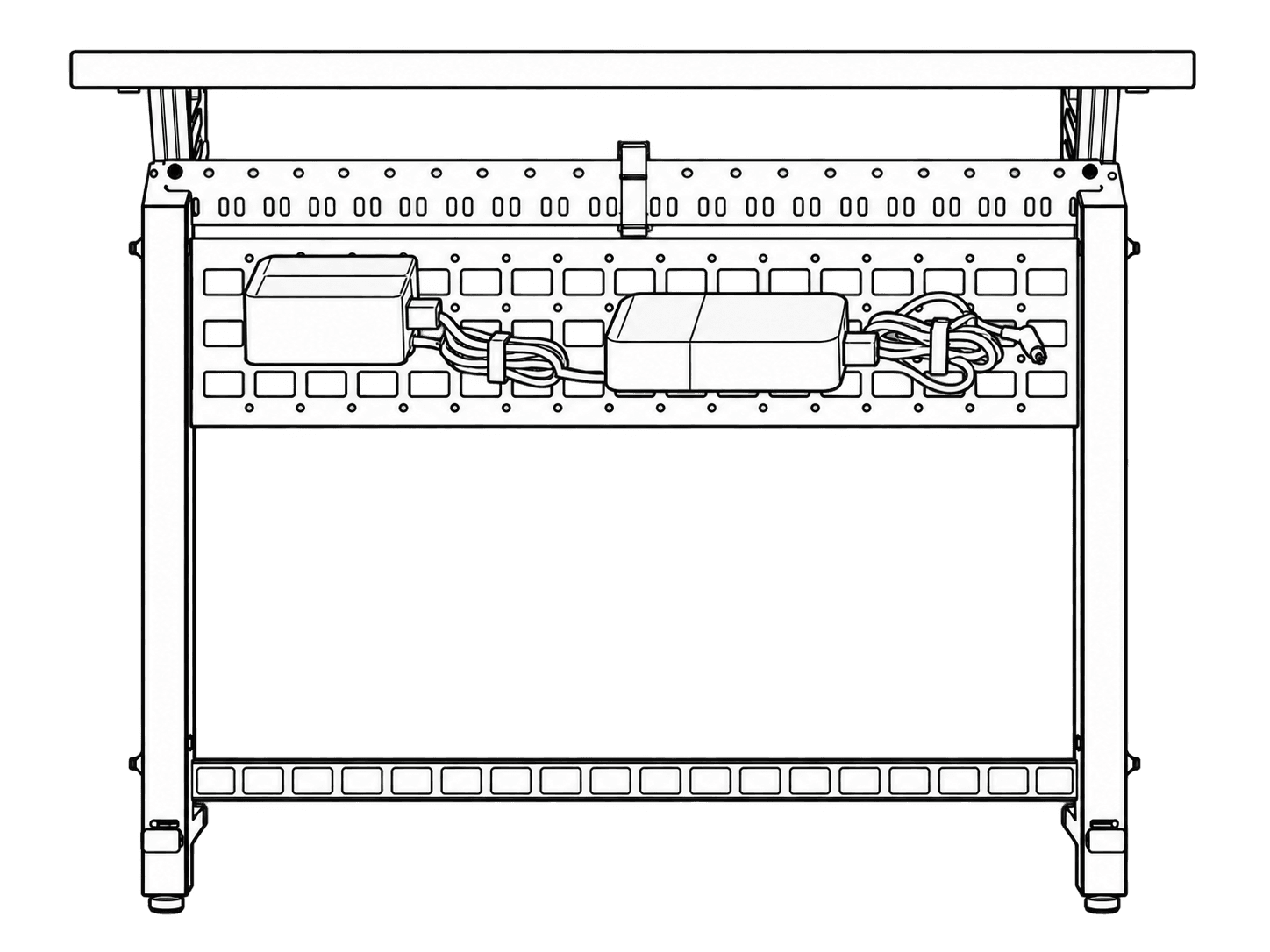
H1250 Device Panel with two secured devices and cable coils, installed in a complete Framework bay with its actual rails, uprights and leveling feet.

This guide is also available as a printable PDF.

In the box

Parts diagram labeled a–d: perforated Device Panel, strap roll, four rack screws, and two rackmount adapters.
  1. 1 x Device panel (R1063)
  2. 1 x Velcro, 2 ft (F856)
  3. 4 x Rackmount Screw (F938)
  4. 2 x Rackmount Adapter (P280)

Install to the Framework leg

Device Panel positioned across the back of a Framework leg, with its end fittings aligned to the leg slots.
Closer view of the panel end fittings aligned with the slots on both sides of the leg.
Panel seated across the leg; an enlarged detail and check mark show its fitting engaged in a slot.
Rear view of one Device Panel installed near the top of a tall leg.

Installing multiple Device Panels on a tall leg

Three Device Panels stacked vertically within a tall leg.

Installing multiple Device Panels on a short leg

Two Device Panels stacked vertically within a short leg.

Install and organize gear on the grid pattern.

Two devices and their cables secured to the Device Panel grid with straps.
Device Panel grid with horizontal and vertical hole spacing both marked 50 mm.
Device aligned with the panel grid, with mounting screws entering from the opposite side.
Device fastened to the panel.
Device Panel with two devices and bundled cabling arranged across its surface.
Angled view of the configured Device Panel resting on a work surface.
Completed Framework installation with the configured Device Panel mounted behind the right-hand leg.