

HECKLER
Wall Mount MX for iPad for iPad mini 6th and 7th Generation and iPad Air 13-inch
TAA-Compliant Commercial Wall Mount for iPad mini 6th & 7th Generation, iPad Air 13-inch, and iPad Pro 12.9-inch 3rd, 4th, 5th & 6th Generation
H650-BG
$149
H649-BG & H650-BG are In Stock!
- Ships from Phoenix, Arizona
- Request a quote or buy online
- Dealer support available
- Warranty-backed hardware
Wall Mount MX secures iPad to any wall with a low-profile steel enclosure designed for gang box or drywall installation. Compatible with PoE+ power delivery and Ethernet data connectivity. Available for iPad mini 6th and 7th Generation, iPad Air 13-inch, and iPad Pro 12.9-inch. Steel construction with fine-texture powder coat finish.
TAA compliant. Made in Phoenix, AZ.
Complete your setup


- Made in Arizona
- Designed by Heckler
- Commercial-grade steel
- Durable powdercoat finish
- TAA compliant
- Patented design
- Ships globally via common carriers
- Hospital-grade disinfectants compatible
- Paper-first packaging
- Simple assembly
- ADA-conscious design
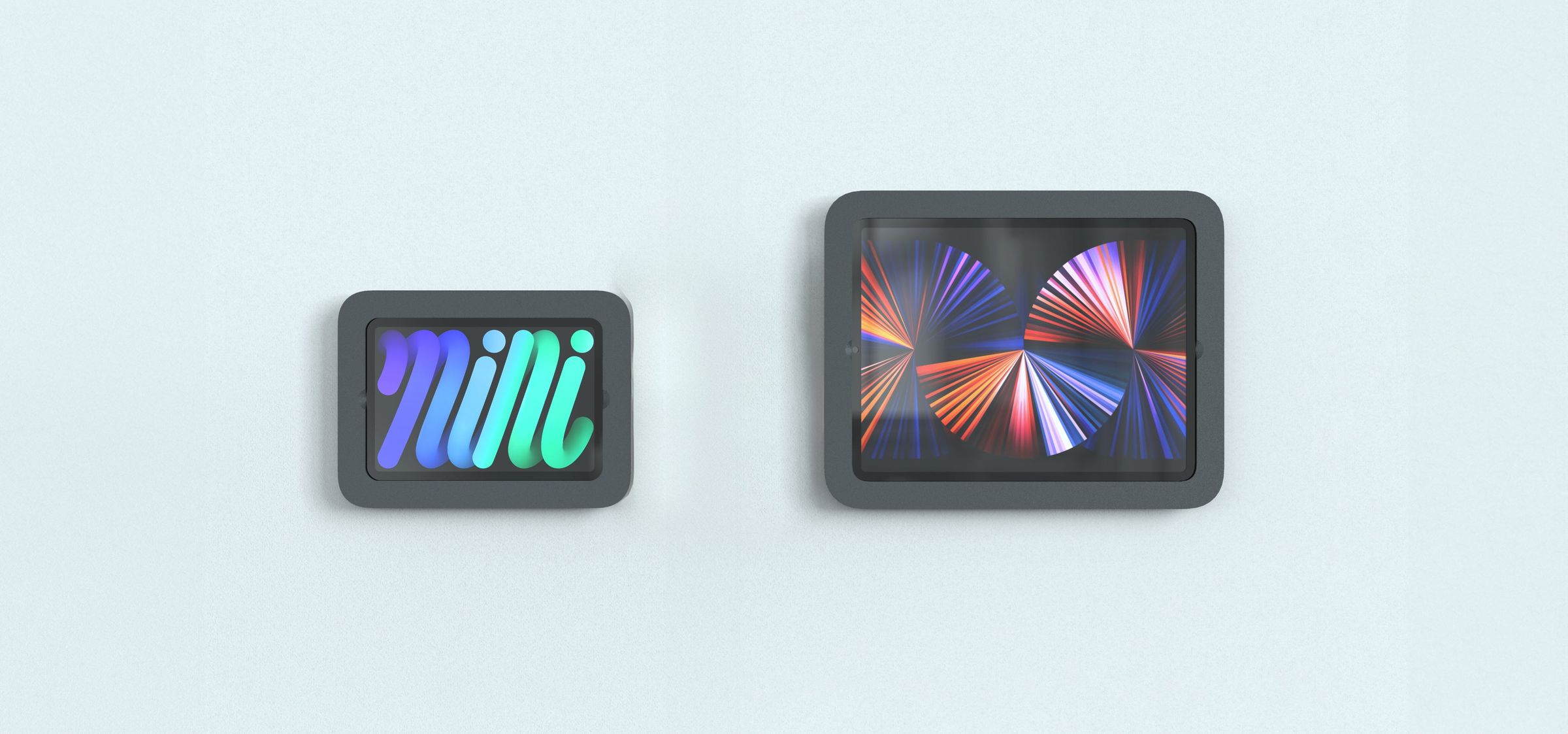
Three Sizes, One Design Language
Wall Mount MX is available for iPad mini, iPad Air 13-inch, and iPad Pro 12.9-inch — the same refined enclosure scaled to three screen sizes. Deploy as a home automation controller, visitor sign-in station, or corporate directory.
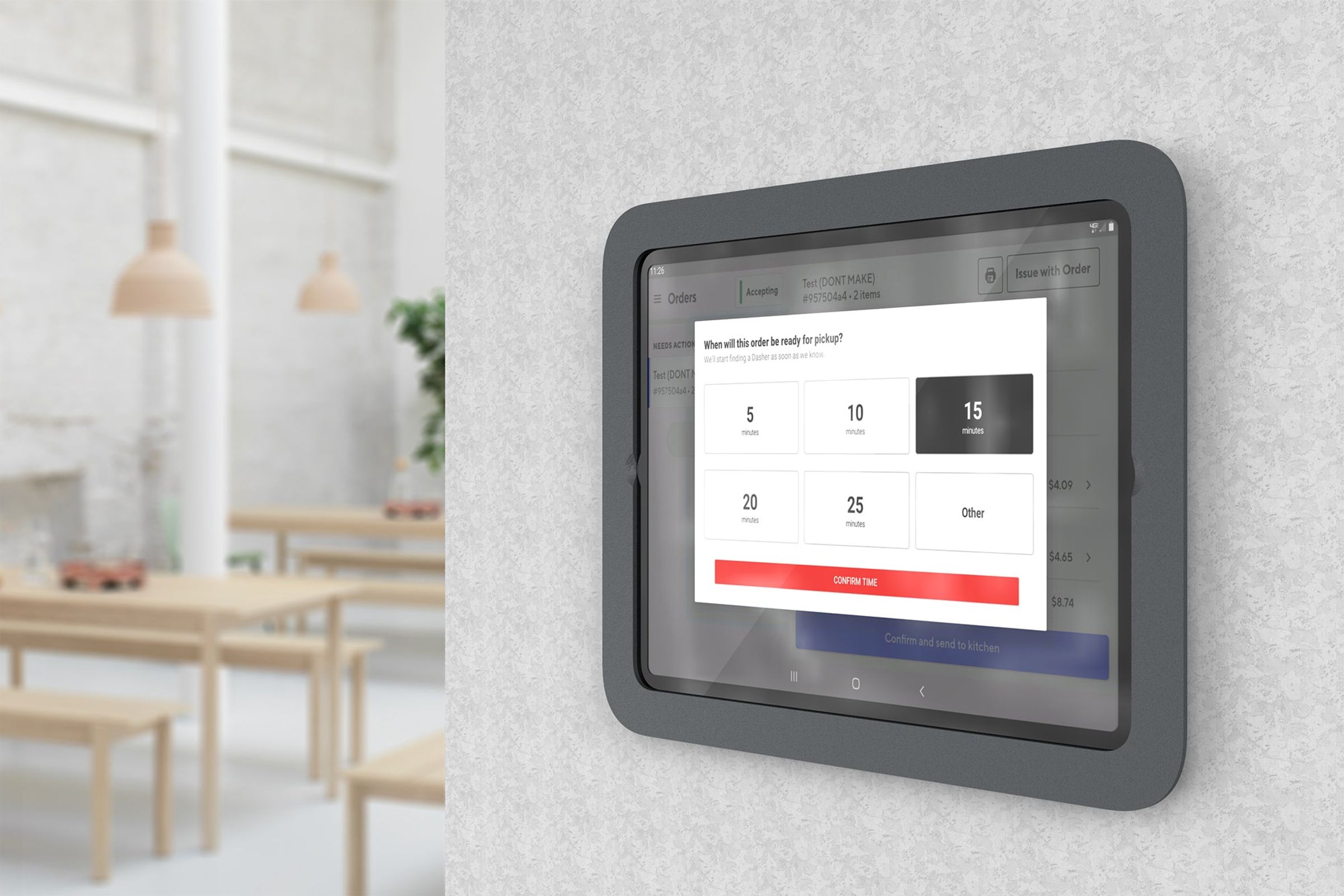
Designed to Disappear
Wall Mount MX presents a low-profile enclosure that floats off the wall, creating a clean reveal and shadow line. The bezel contours the precise shape of iPad, following its continuous corner radius for a seamless integration. No bulk, no visual compromise.
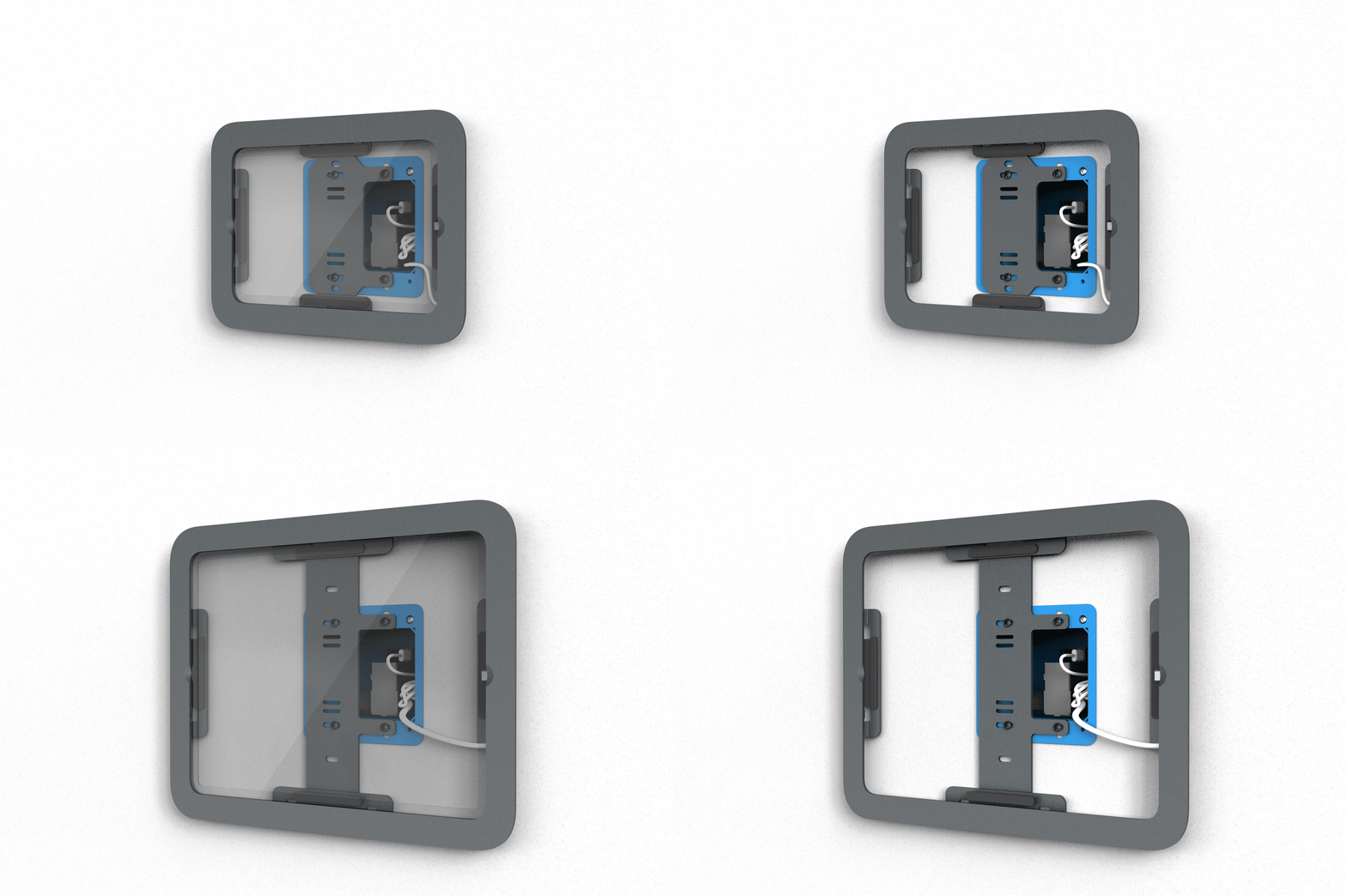
Flexible PoE Integration
Wall Mount MX mounts to any conventional single-gang or double-gang box, accommodating PoE, PoE+, and UPoE adapters with or without Ethernet data support. Available stand-alone or bundled with a compatible power and data adapter.
Drywall Installation
Wall Mount MX also installs directly to drywall without a gang box. Included wall anchors and mounting hardware provide a clean installation using a standard USB-C power cable.
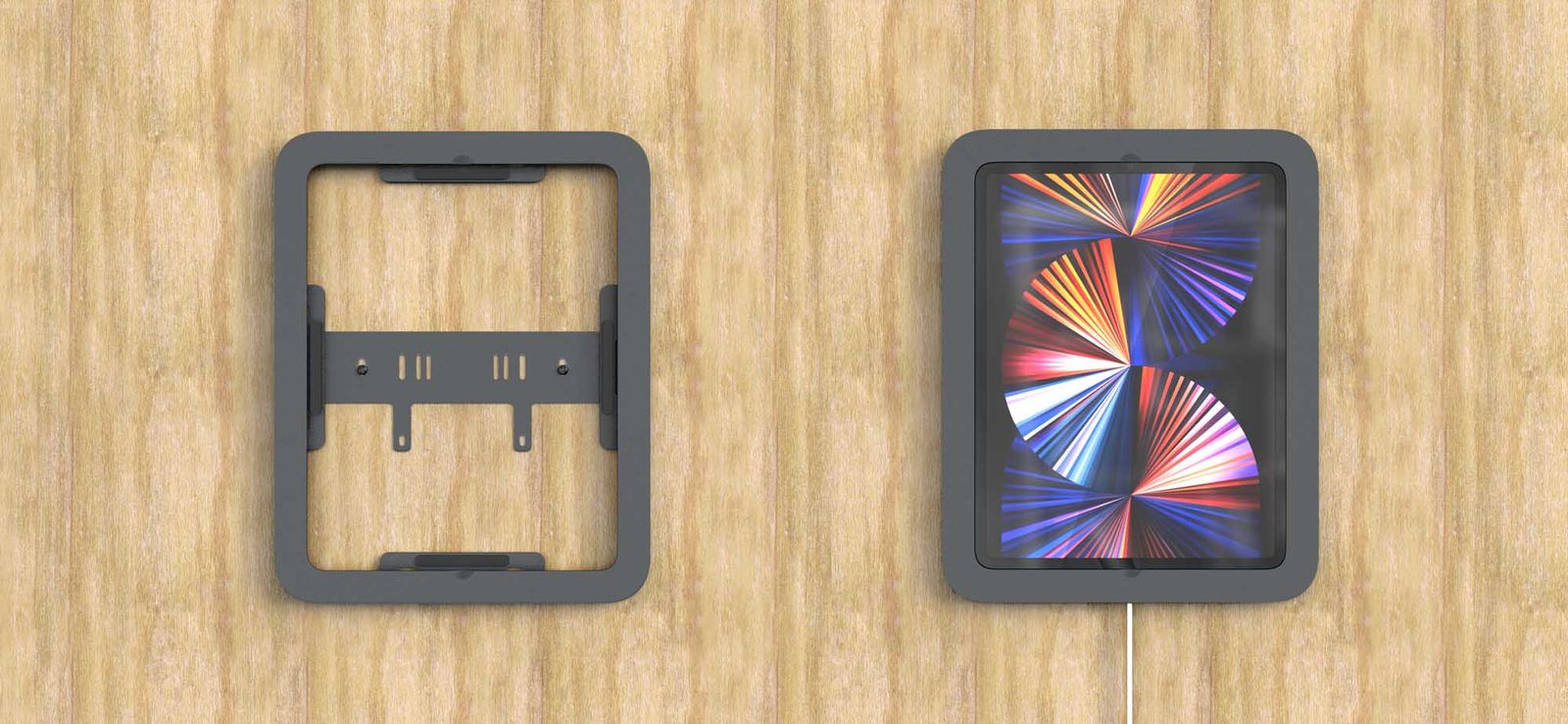
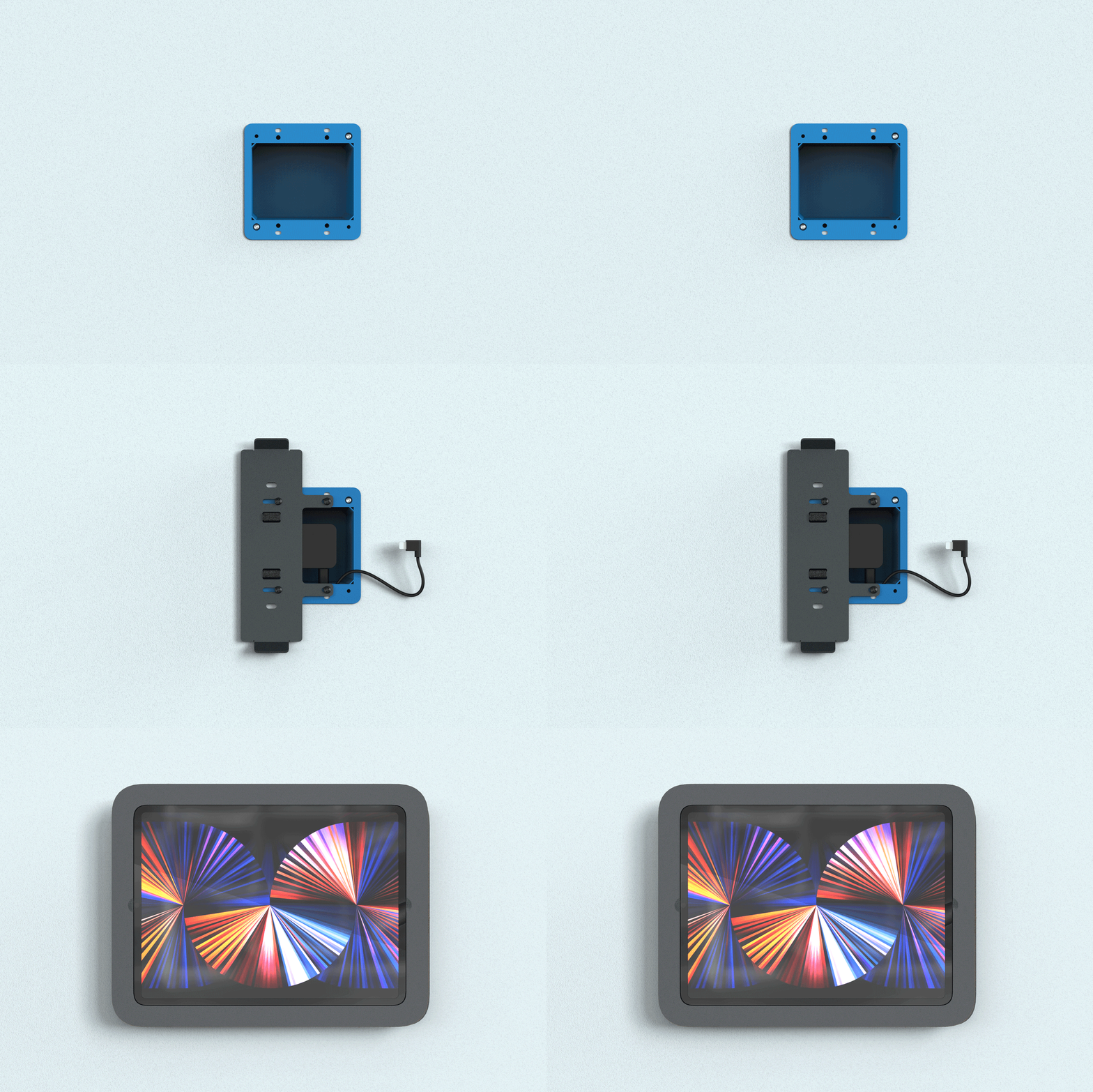
Three-Step Installation
Fasten the wall bracket to a gang box, seat the PoE adapter, and secure iPad with a single screw. The installation process requires no specialized tools.
Center Stage Compatible
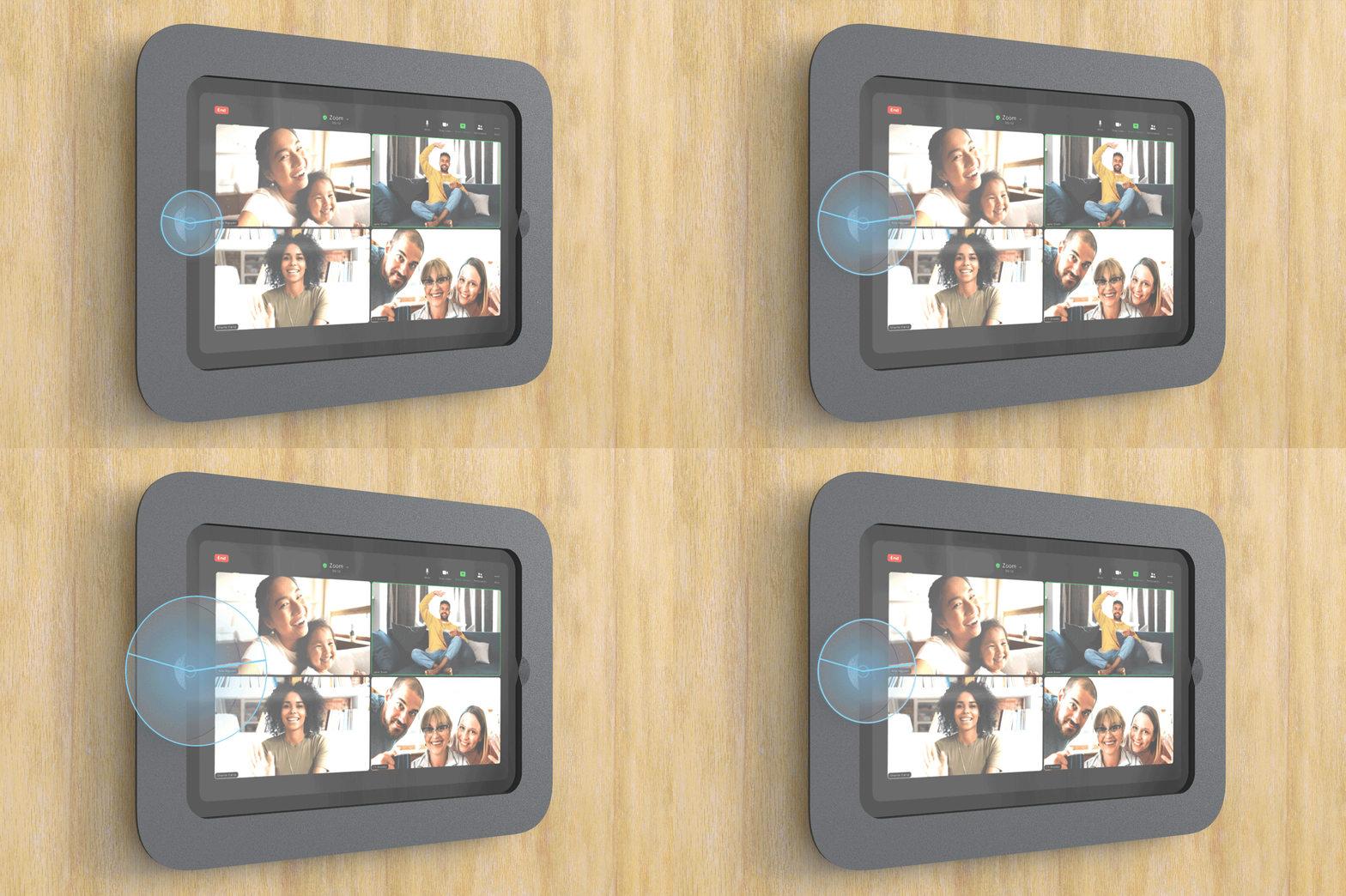
The bezel of Wall Mount MX is sculpted to leave iPad's ultra-wide-angle front camera fully unobstructed, enabling Center Stage video framing for conferencing and collaboration.
Passive Thermal Management
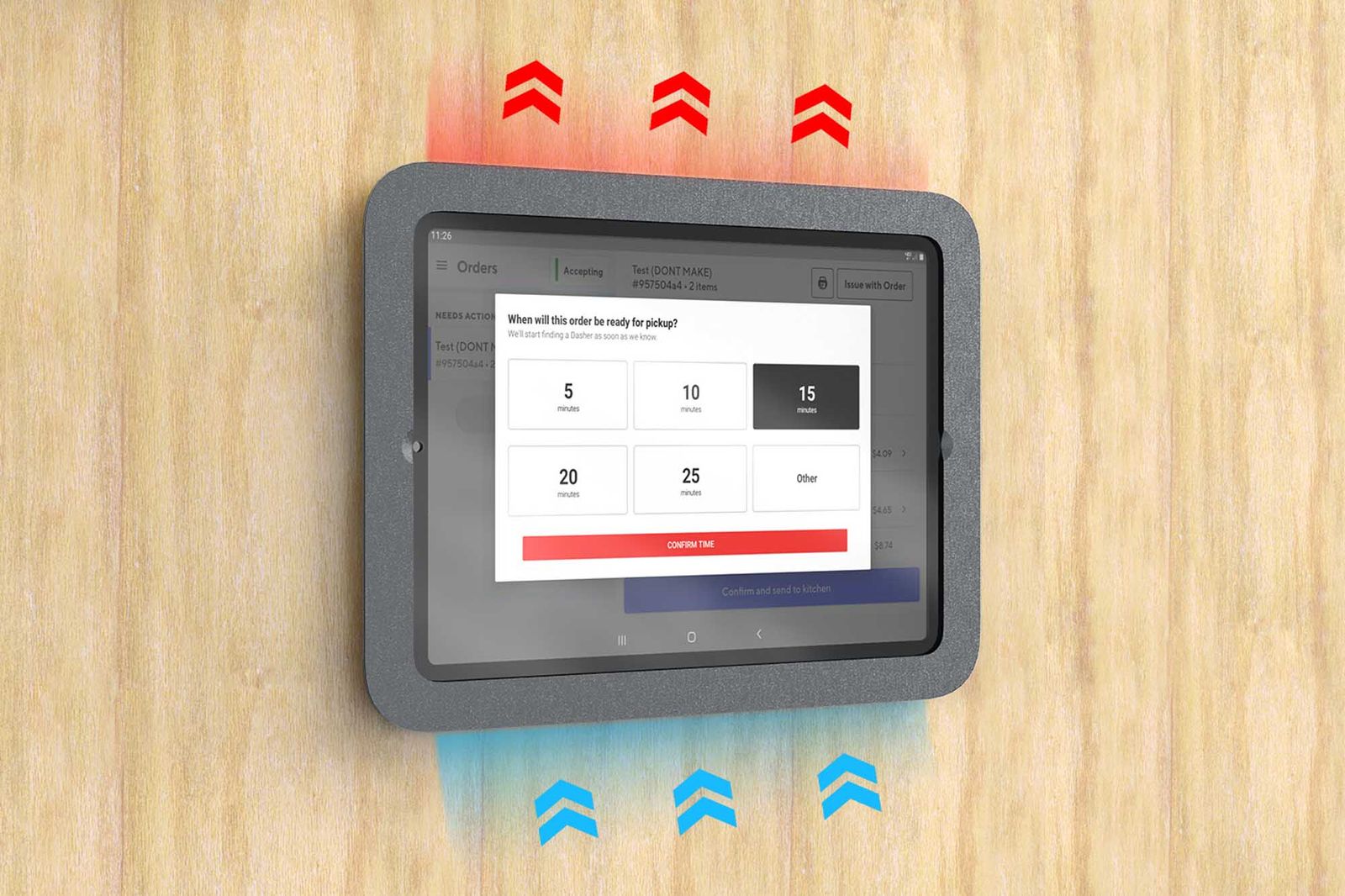
Wall Mount MX maintains an air gap between iPad and the wall surface, allowing passive airflow to dissipate heat from iPad's rear chassis during continuous operation.
Full Audio Access
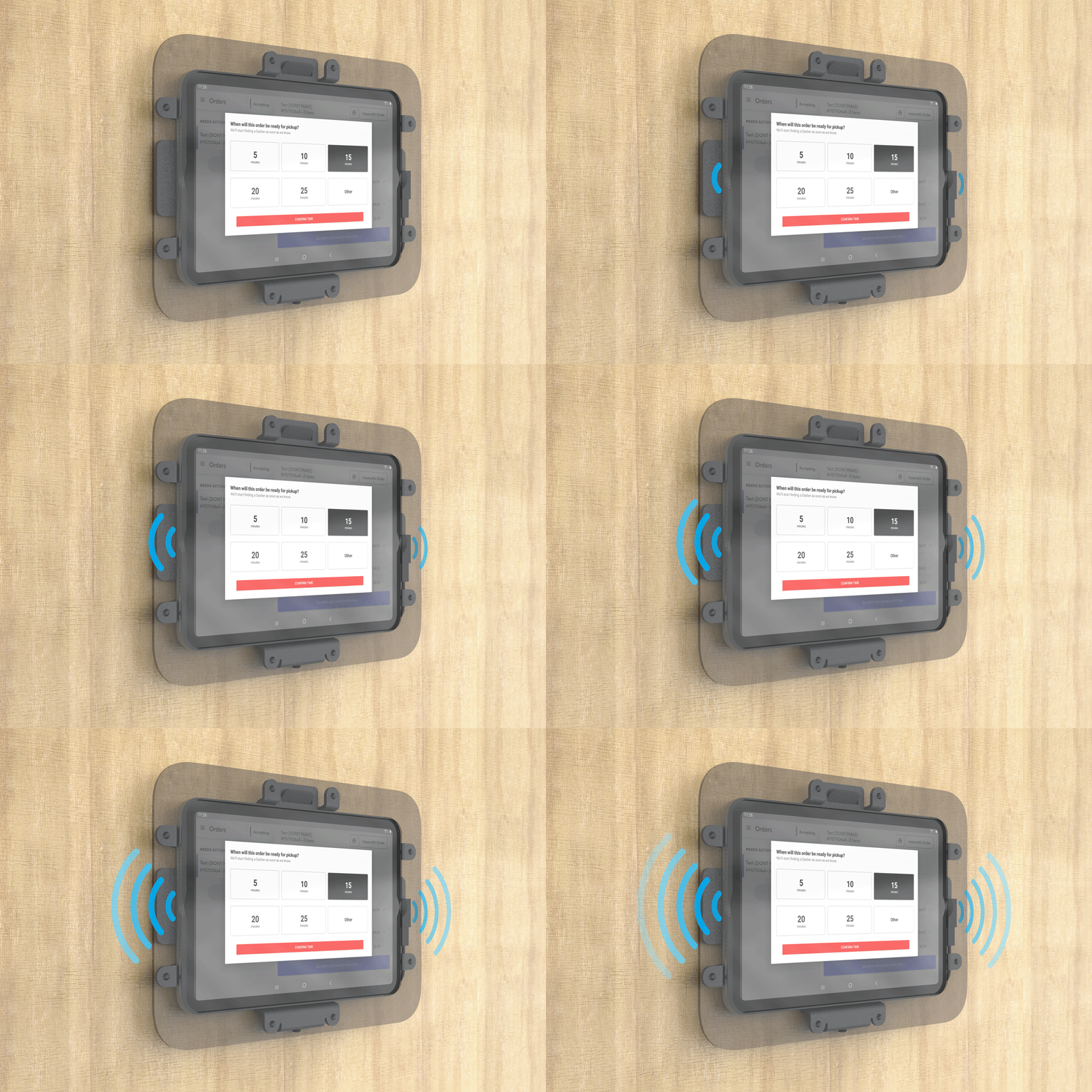
All speakers and microphones remain unobstructed, preserving full Siri functionality, speakerphone capability, and audio output.
Specifications
- Heckler SKU
- H649-BG
- Material
- Powdercoated Steel
- Product Weight
- 2.5 lbs / 1.2 kg
- Shipping Weight
- 3 lbs / 1.4 kg
- Compatible Devices
- iPad Pro 12.9 (3rd Gen) iPad Pro 12.9 (4th Gen) iPad Pro 12.9 (5th Gen) iPad Pro 12.9 (6th Gen)
- Product Dimensions
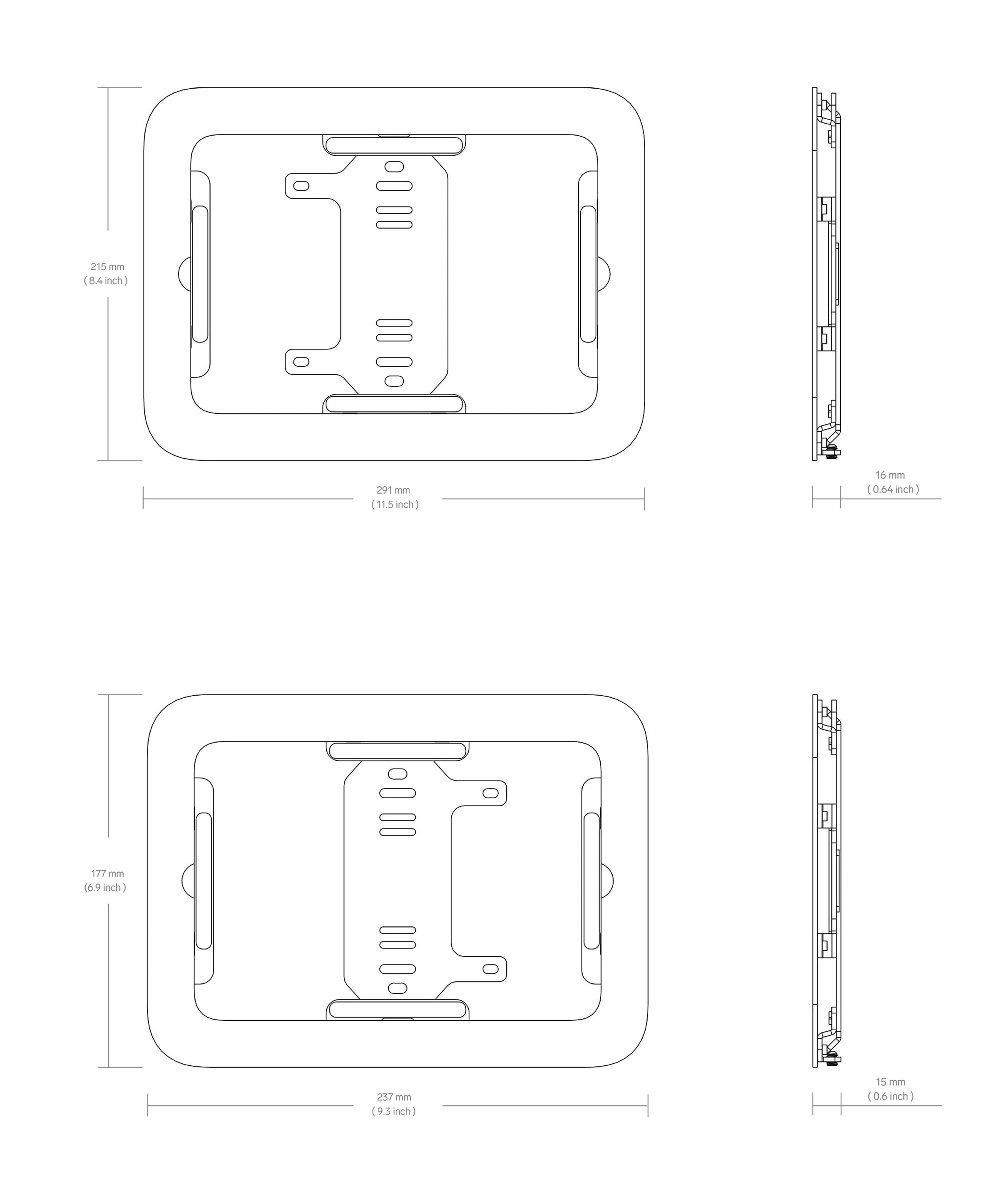
- 10.2 x 12.7 x 0.6 inches 257 x 323 x 15 mm
- Shipping Dimensions
- 13 x 11 x 2 inches 330 x 279 x 51 mm
- Warranty
- 2 years
Technical drawing
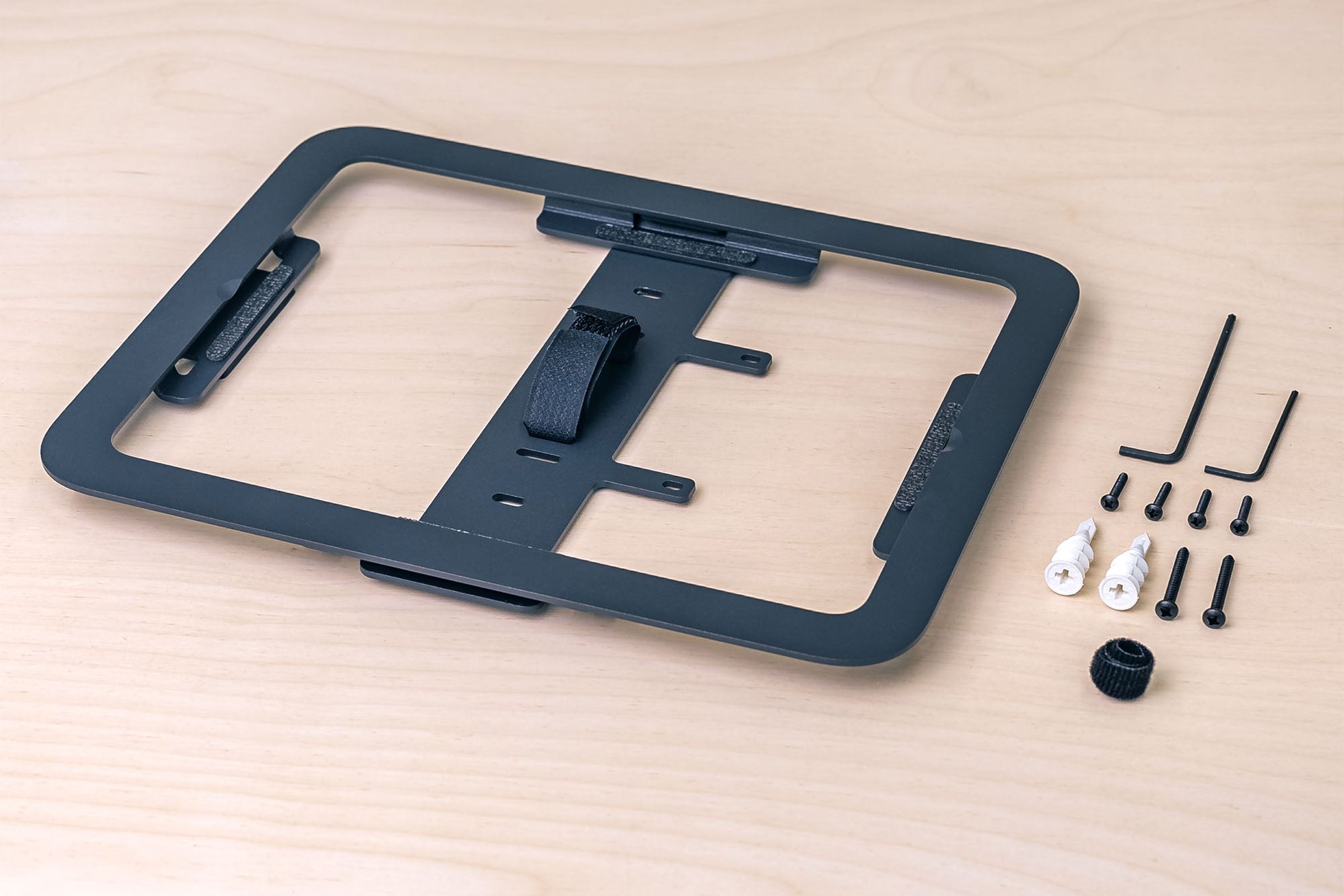
In the box
- iPad Wall Mount MX
- Wall Anchors
- Velcro Strap
- Assembly Tools
Sturdy and pretty easy to install
I used the ipad mini version of this to mount the ipad in a vertical orientation. It would have been nice to have written instructions but I was able to figure everything out with no instruction. There are a couple of things that I didn't realize until I received the mount: 1) Unlike some other wall mounts, you cannot simply pop the ipad out of the holder if you need to for some reason. You would have to remove it from the wall with a set screw (allen key type), and then remove another 8 miniature screws to unmount the ipad from the holder. If you want a home ipad mount that lets you transition from having the ipad on the wall to some other location like a table and back to the wall again, this is probably not the mount for you. 2) Once the ipad has been mounted to the metal frame that holds it to the wall, touch ID is not going to work because the power button is mostly blocked by the mounting plate. Additionally, the volume buttons are difficult (but not impossible) to reach. To use the volume buttons you'd likely need to use a small object to reach them. I used an allen key. The apple pencil charging area on the right side of the ipad may also be unusable when in the mount - I don't have an apple pencil to try that feature out. Just something to be aware of. All in all I am happy that I found this mount, and I think the idea of using power over ethernet with the USB C adapter is a great solution to power it from the wall. I did not try out the actual ethernet feature which is apparently there with the adapter. I only used it for power.